

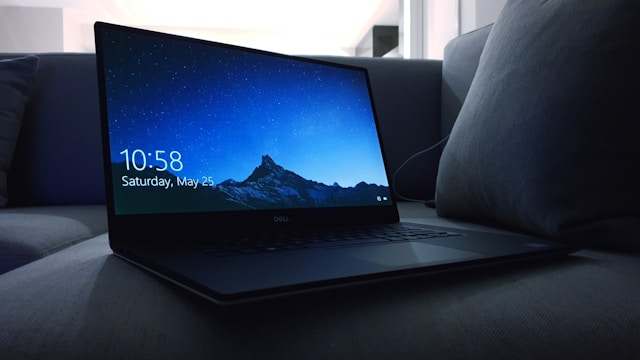
When your Dell laptop encounters issues, knowing how to approach Dell laptop repair can save you time, money, and frustration. Dell laptops are known for their durability and performance, but like any electronic device, they can experience hardware and software problems over time. Whether you’re dealing with a slow system, a broken screen, battery issues, or hardware failures, understanding the repair process is essential for a smooth experience.
This guide covers everything from common problems and DIY fixes to professional repair services, warranty considerations, and maintenance tips. By the end, you’ll know exactly how to tackle Dell laptop repairs effectively and safely.
Common Dell Laptop Problems
Dell laptops can experience a variety of issues, ranging from minor software glitches to serious hardware failures. Knowing the common problems helps identify the right solution quickly.
Slow Performance
Over time, Dell laptops may slow down due to accumulated temporary files, fragmented storage, or outdated software. Slow performance can also result from insufficient RAM or malware infections.
Screen and Display Issues
Screen problems are common and can include flickering, dead pixels, cracked screens, or backlight failure. A damaged display often requires professional repair or replacement to restore full functionality.
Battery and Power Problems
Dell laptops may experience rapid battery drain, charging issues, or failure to power on. Battery problems can stem from aging components, incorrect charging cycles, or software-related calibration errors.
Keyboard and Trackpad Malfunctions
Keyboard keys may become unresponsive, sticky, or completely fail due to spills, dust, or hardware faults. Trackpad issues often relate to driver problems or physical damage.
Overheating and Fan Noise
Overheating can reduce performance and damage internal components. Dust buildup, clogged vents, or faulty fans are common culprits. Maintaining proper airflow and cleaning fans regularly can prevent long-term damage.
Also Read This:- What Is Generative Engine Optimization? How to Prepare for the Future of Search
DIY Dell Laptop Repair Tips
Before visiting a professional repair center, many common issues can be addressed at home safely.
Restart and Update
Sometimes, simple restarts and updating Windows or Dell drivers can resolve performance and software issues. Dell provides the Dell SupportAssist tool, which scans your system and automatically installs the necessary updates.
Clean the Laptop Internally
Dust accumulation can affect cooling and performance. Using compressed air to clean the vents and keyboard can reduce overheating and improve longevity. Always power off and unplug your laptop before cleaning.
Battery Calibration
If your Dell laptop battery is draining quickly, calibrating it can help. Fully charge the battery, then discharge it completely, and recharge fully without interruption. This can help the battery monitor more accurately report charge levels.
External Hardware Checks
Check peripheral connections such as USB devices, external displays, and adapters. Faulty peripherals often mimic laptop hardware problems and can be easily fixed by inspection.
When to Seek Professional Dell Laptop Repair
While some repairs are safe to handle at home, certain problems require professional intervention.
- Hardware replacement: Broken screens, damaged motherboards, or faulty RAM should be repaired by certified technicians.
- Water damage: Liquids can cause irreparable damage if not treated promptly. Professional repair often involves drying, cleaning, and replacing affected components.
- Data recovery: Hard drive failure or corruption requires specialist services to prevent permanent data loss.
- Warranty-covered repairs: If your laptop is under warranty, attempting DIY repair may void coverage. Professional Dell service ensures warranty compliance.
Dell Authorized Repair Services
Dell provides authorized repair centers and technicians trained to handle all Dell laptop models. These services guarantee genuine parts, safe handling, and warranty compliance. Depending on your warranty plan, you may also be eligible for on-site repair or expedited shipping options.
Also Read This:- Understanding Byfsrhlu7g6ewot and Its Growing Importance
Understanding Dell Warranty for Repairs
Dell laptops come with standard warranties that cover hardware failures but exclude accidental damage in most cases. Understanding your warranty can help you make informed decisions about repair:
- Basic Warranty: Covers manufacturer defects in hardware components.
- ProSupport: Offers priority access to technicians and advanced troubleshooting.
- Accidental Damage Protection (ADP): Covers spills, drops, and other accidents.
Always check your service tag and warranty status on Dell’s official website before seeking repair.
Dell Laptop Repair Costs
Repair costs vary depending on the problem, model, and service type:
- Screen replacement: $150–$400
- Battery replacement: $80–$200
- Motherboard repair: $250–$600
- Keyboard replacement: $50–$150
DIY repairs can reduce costs but carry risks if done incorrectly. Using certified technicians and original parts ensures long-term reliability.
Tips to Reduce Dell Laptop Repair Frequency
- Regular Cleaning: Dust and debris inside the laptop can cause overheating.
- Update Drivers: Keeping your system up-to-date improves performance and prevents software conflicts.
- Use Surge Protectors: Power surges can damage internal components.
- Avoid Physical Damage: Carry laptops in protective cases and avoid food or liquid near devices.
- Monitor Battery Health: Calibrate and replace batteries before complete failure.
Dell Laptop Repair for Specific Models
Dell offers a wide range of laptops, and repair needs may vary:
- Dell XPS Series: Premium laptops may have delicate displays and complex internals requiring professional service.
- Dell Inspiron Series: More modular design allows easier DIY upgrades or repairs.
- Dell Latitude Series: Business laptops with extended warranty options, often serviced onsite.
- Dell Alienware Series: Gaming laptops may require specialized cooling system repairs.
Understanding your model’s repairability helps determine whether DIY or professional service is the best choice.
Dell Laptop Repair for Data Loss Issues
Data recovery is a common reason for professional repair. Hard drive failure or corruption can lead to loss of important files.
- SSD recovery: Specialized tools can recover data from partially failed SSDs.
- HDD recovery: Mechanical failures require professional cleanroom repair.
- Backup strategies: Regularly backing up data reduces reliance on emergency recovery services.
Dell Laptop Repair and Security
During repairs, data security is critical. Trusted Dell repair centers follow strict privacy protocols to ensure personal and corporate data is not compromised.
- Encryption: Protect sensitive files before sending the laptop for repair.
- Backup: Always backup important data before repair.
- Official technicians: Avoid unknown repair services to reduce the risk of data theft.
Also Read This:- How to Use yell51x-ouz4: A Complete Step-by-Step Guide
Pros and Cons of DIY vs Professional Repair
DIY Repair:
- Pros: Lower cost, immediate action, learning experience.
- Cons: Risk of damage, warranty void, limited tools.
Professional Repair:
- Pros: Certified technicians, warranty compliance, access to original parts.
- Cons: Higher cost, repair wait times.
Choosing the right method depends on the complexity of the issue, warranty status, and your technical skills.
Conclusion
Understanding Dell laptop repair is crucial for keeping your device running smoothly. By recognizing common issues, knowing when to perform DIY fixes, and understanding warranty coverage, you can save time, reduce costs, and avoid frustration.
Whether it’s a slow laptop, battery issues, a broken screen, or data recovery, following best practices ensures your Dell laptop remains reliable and functional. Prioritize maintenance, use certified parts, and consider professional repair when necessary for optimal performance and longevity.
FAQs About Dell Laptop Repair
Q1: How long does Dell laptop repair take?
Repair times vary from a few hours for minor issues to several days for hardware replacement.
Q2: Can I repair a Dell laptop myself?
Yes, minor issues like cleaning or RAM upgrades can be done safely with proper guidance.
Q3: Does Dell repair cover accidental damage?
Only if you have Accidental Damage Protection; standard warranties do not cover spills or drops.
Q4: How much does a Dell screen replacement cost?
Depending on the model, screen replacement can range from $150 to $400.
Q5: How do I find authorized Dell repair centers?
Visit Dell’s official website and enter your service tag to locate authorized service providers.
